How much data does streaming video take?
By Ultra Team
Published April 15, 2026
Everybody’s streaming – and for good reason. Streaming lets you watch your favorite content in real time, no downloading required. The days of DVDs and flash drives are long gone, and now data is king. But many people don’t realize how much data their streaming habits actually use until it’s too late. So we put together this Ultra-handy guide to help you stream smarter, avoid slowdowns and prevent overages.
How mobile data works when you stream video
Imagine it’s movie night. There’s a lot going on behind the scenes. As soon as you press play, a server begins to break up the 2hr movie you selected into small, compressed data packets. Then, these packets are sent to your device over the internet, one after another. That way, you can start watching the movie instantly!
As the movie goes on, your internet connection is what continuously delivers these data packets from the server to your device. Factors like resolution, frame rates, compression technology and platform optimization make a big difference in how much data you need. The rule of thumb is: the higher the video quality, the more data per second is used. And mobile networks automatically adjust the quality depending on your connection speed.
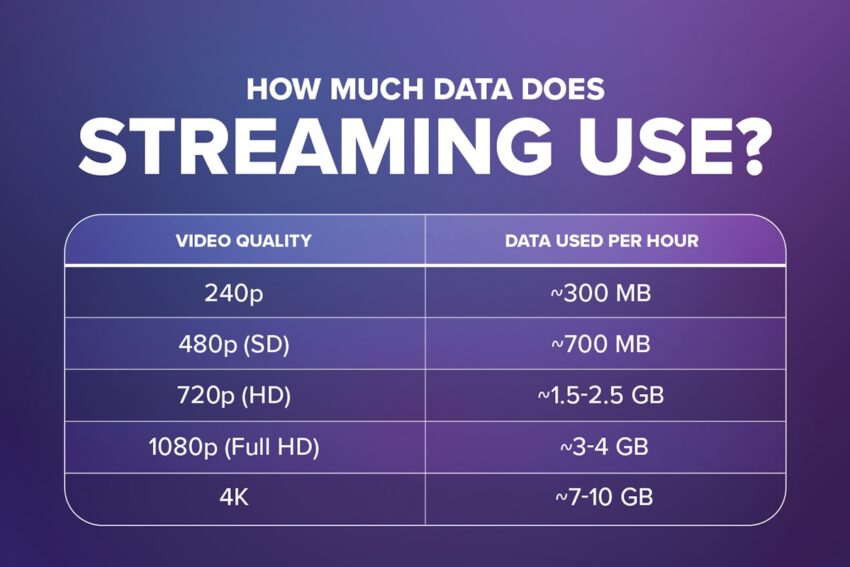
How much data does streaming use?
High quality video is more data-taxing than low quality video. That’s because high-quality uses a high bitrate (the amount of digital information or “bits” sent per second) to display sharper pixels and more frames. The result is Ultra-crisp, detailed playback which is great for movie night – but not so great for your data usage, as you can see in the chart.
How different streaming apps compare
Not all apps are set up the same. Each uses different compression and default quality settings. Many will automatically increase your video quality when your internet connection is stronger, and they’ll also allow for manual quality settings so you can be Ultra-mindful of your data usage. Let’s see how different apps compare:
YouTube
YouTube allows viewers to manually select video quality and often defaults to higher quality on stronger connections.
Common quality options include:
- 144p–240p: Very low quality, minimal data use (good for slow connections)
- 360p–480p: Standard definition
- 720p: HD quality
- 1080p: Full HD
- 1440p / 4K: Ultra HD for supported videos
TikTok & Instagram Reels
Short-form video apps stream continuously as you scroll. This can lead to surprisingly high data usage! Depending on the video quality and viewing behavior, TikTok and Instagram Reels use approximately 500MB to 1GB per hour. Other factors affecting data usage include:
- Videos autoplay automatically
- Content streams in high quality when connection is stronger
- Endless scrolling means data usage adds up quickly
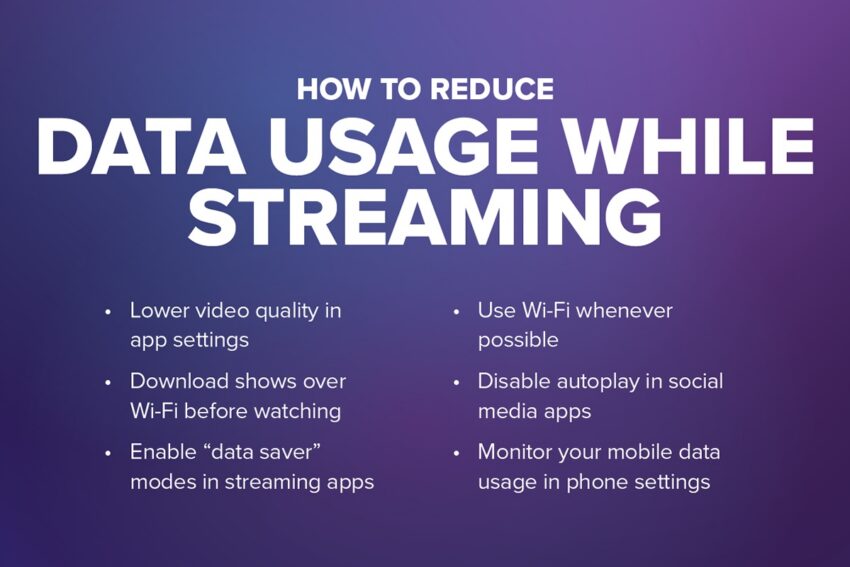
It’s easy to overuse your data while streaming. That’s why we’ve put together this list of simple, free hacks you can use everyday to stream smarter:
- Lower video quality in app settings
- Download shows over Wi-Fi before watching
- Enable “data saver” modes in streaming apps
- Use Wi-Fi whenever possible
- Disable autoplay in social media apps
- Monitor your mobile data usage in phone settings
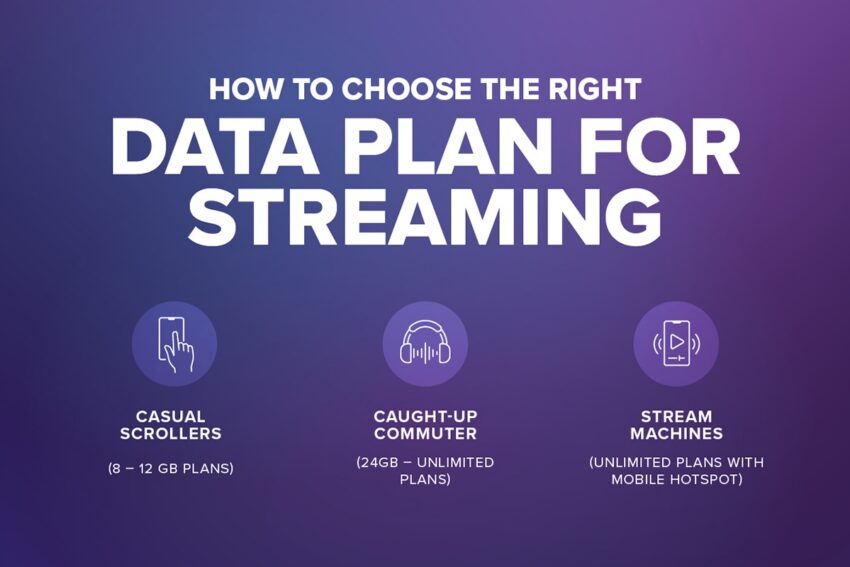
How to choose the right data plan for streaming
Do you know what kind of streamer you are? Based on your viewing habits, we can find your Ultra-perfect match right here, right now!
For the Casual Scrollers (8 – 12 GB Plans)
If you use your phone for:
- TikTok
- Instagram Reels
And your occasionally:
- Scroll through videos
- Like, comment, and share posts
8GB to 12GB plans are sufficient for casual social media use, provided you use Wi-Fi frequently and enable data-saving features.
For the Caught-Up Commuter (24GB – Unlimited Plans)
If you use your phone for:
- Netflix
- Youtube
- Spotify
And you regularly:
- Catching up on shows and sports on the train
- Streaming music, audiobooks, and podcasts on the go
24GB to Unlimited plans provide enough high-speed data for regular daily viewing (roughly 1–2 hours of HD video daily) while removing the risk of overage charges.
For the Stream Machines (Unlimited Plans with Mobile Hotspot)
If you use your phone for:
- Zoom
- Netflix
- And you regularly:
- Use your phone for remote work
- Watch movies on the go
Unlimited plans with a mobile hotspot are good for remote work and streaming movies, provided they offer a generous high-speed data cap (50GB–100GB+) before throttling – or no data cap at all…
Having enough high-speed data matters for smooth playback because it prevents buffering, which occurs when your connection cannot stream data as fast as the video plays. This forces the video to pause in order to catch up. Just remember that higher speeds enable higher resolutions (HD/4K), and at least 25 Mbps is recommended for 4K streaming.
So before you pick a data plan, think about how you stream because a Casual Scroller and a Stream Machine are looking at two very different data plans (and two very different price points). We believe in only paying for what you need – nothing more, nothing less. And find out what your streaming needs are, take a look at your weekly screen time reports. They summarize daily averages and app usage, so nothing is left up to chance.
Stream like a pro with Ultra Mobile
To recap, streaming video uses more data than expected, and video quality is the biggest factor affecting your data usage. That’s why understanding your streaming habits and making small daily changes can help you stream smarter and avoid overages.
But the most important change you can make is choosing the right mobile data plan. At Ultra Mobile, we have flexible data options that fit your specific streaming needs, so you can scroll, rewatch and queue without slowdowns or overages! And with Uncapped Unlimited data, our Ultra-Unlimited and Unlimited+ plans have no data caps!
Find your Ultra-perfect plan match today.