Check coverage
Make sure you're covered in your area. Check coverage.
Our plans give you everything you need to connect to your world for less.

Unlimited Nationwide Talk & Text

Flexible Data Options

Unlimited Talk to 90+ Destinations & Unlimited Global Text

Reliable coverage on the T-Mobile 5G Network

Free Mobile Hotspot and Wi-Fi Calling

No Hidden Fees
Switching to Ultra is easy and there are just a few things you need to do to get started.
01
Make sure you're covered in your area. Check coverage.
02
This is so you can bring your current phone to Ultra. Check compatibility.
03
Decide if you are keeping your number or want to get a new one.
04
We have 500MB data plans up to Unlimited+. Not sure what is right for you? Take our quiz.
05
Choose which one is right for you. Check eSIM compatibility.
06
You’re done! Enjoy the Ultra life.
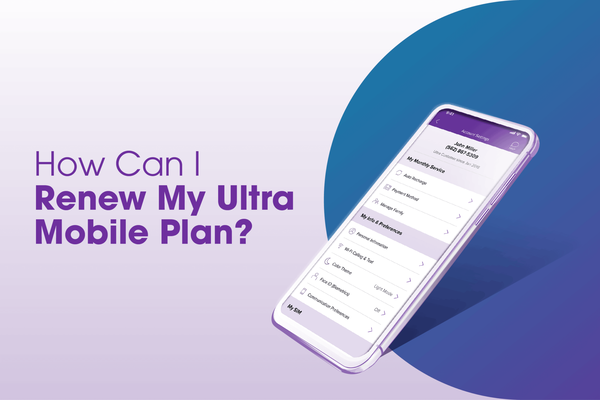
Here are a few helpful guides on how to get started with Ultra.


No, your service must be active with your original carrier in order for them to release your number. Once they release your number and you can no longer make calls with their SIM card, you can cancel your service.
If you have SIM Protect on, please be sure to turn it off first.
If SIM Protect is off, then you can call our Customer Care Team to initiate your transfer process. 1-888-777-0446 or dial 611 from your Ultra Mobile phone.
For a step-by-step guide online, please visit our How to Transfer Your Number to Ultra Mobile article.
If your phone is incompatible with eSIM, you can always order a replacement physical SIM in the Ultra Mobile app. And if you’re activating your physical SIM, you can activate it by visiting https://my.ultramobile.com/activation or by calling our Care Team at 888-777-0446.
If you cannot scan the QR code, you can also manually add your eSIM using the eSIM Manual Activation Guide.
Online: Once you have chosen your perfect plan, you can pick “Digital Delivery” as an option. When you do, you will receive an email with a QR code after purchase. Scan the QR code to activate eSIM on your device.
Retailer: You can also activate an Ultra Mobile plan with an eSIM at your local Authorized Ultra Mobile Retailer. To locate your nearest Ultra Retailer, please use our store locator.
For step-by-step directions, please visit the How to Activate Landing Page.
If you choose to get a new number during activation, simply enter your zip code, choose your language preference, choose “Activate A New Number,” and follow the prompt. It’s that easy.
Order processing takes up to 2 business days prior to shipment. Any orders submitted after 1PM EST will begin processing the following weekday. We don’t fill orders on holidays or the weekend. Once the order has shipped, it will be delivered based on the customer’s selected delivery method. When your order has been shipped, we’ll send you a tracking number which you can monitor by clicking the link in the email.
The fastest way to get Ultra service is by ordering an eSIM. If your phone is eSIM-compatible, we’ll email your eSIM after you order.
You can Sign in to your Ultra Mobile account online or on the app (iOS or Google Play) and order one. You can also call our Customer Care Team at 1.888.777.0446 or chat with us for assistance on ordering a new SIM card. If you have SIM Protect on, please be sure to turn it off first.
Before beginning, please make sure that you are using the correct-sized SIM. For your convenience, within each Ultra SIM kit we include a 3-in-1 SIM (nano, micro, and standard size) and a SIM ejector tool. Check your phone’s manual to ensure you are using the correct size SIM.
To Insert a SIM Card into an Android: With the large variety of Android devices, there is no one way to insert a SIM card into your phone. For specific instructions on where to insert your SIM card, please refer to your phone’s manual.
Purple SIMs are unfunded SIMs which means you will choose your plan during the activation process.
Orange SIMs are prefunded SIMs that already have an Ultra Mobile plan associated with the first plan cycle. Please select the appropriate SIM color during activation.
For more information, please visit the How to Activate article.
• Make sure your phone is unlocked
• Make sure your phone is compatible with Ultra; you can use our compatibility checker to confirm
• If you are planning on keeping your current phone number, have all the necessary information ready. Depending on your carrier, this typically includes the below:
• Account number
• Pin/Passcode or Number Transfer Pin
• Billing address associated with your account
For further information, please see our How to Switch Landing Page.
Our Care Team is here to help every day from 6 am to 6 pm PST. The easiest way to contact us is through our helpful chatbot, which can connect you to a live agent. You can also give us a call at 1-888-777-0446 or dial 611 from your Ultra Mobile phone.
At Ultra Mobile, we do not charge an activation fee.
Before beginning, please make sure that you are using the correct-sized SIM. For your convenience, within each Ultra SIM kit we include a 3-in-1 SIM (nano, micro, and standard size) and a SIM ejector tool. Check your phone’s manual to ensure you are using the correct size SIM.
To Insert a SIM Card into an iPhone: Stick a pin into the slot on the side of your iPhone. This should cause the SIM card tray to pop out. Line up the SIM card by the notch to place it on the tray, and re-insert it back into the phone.
First, pick out the plan that you want to sign up with. There are five easy ways to activate an Orange SIM card.
Online: Please go to www.ultramobile.com/activate, click the image of the Orange SIM and enter the 11-digit activation number located on the back of your SIM card. Our online activation process will allow you to select any of our monthly plans. You will also have the option of keeping your existing phone number or getting a new number. All you need in order to activate online is a new Ultra Mobile SIM and a form of payment. You can pay using a debit or credit card. As part of the activation process, you can also enroll in Auto Renew to ensure you’ll never have to worry about forgetting a payment.
For more information, please visit the How to Activate article.
In Store: You can activate your service or instantly renew your monthly plan by visiting any of our retailers that offer renewal. Use our Store Locator tool to find an Ultra Retailer near you. By Text Message: To activate your SIM and get a new local phone number, insert the SIM card and then text GOGO + your 5-digit zip code to 6700. Please note that you can not transfer your phone number this way.
Care: Visit http://www.ultramobile.com/chat to speak with an agent or just call Ultra Mobile Customer Service at 1.888.777.0446.
NOTE: Keep your current service active until you activate your Ultra SIM.
First, pick out the plan that you want to sign up with. There are four easy ways to activate a Purple SIM card.
Online: Please go to www.ultramobile.com/activate, click the image of the Purple SIM and enter the 11-digit activation number located on the back of your SIM card. Our online activation process will allow you to select any of our monthly plans. You will also have the option of keeping your existing phone number or getting a new number. All you need in order to activate online is a new Ultra Mobile SIM and a form of payment. You can pay using a debit or credit card. As part of the activation process, you can also enroll in Auto Renew to ensure you’ll never have to worry about forgetting a payment.
For more information, please visit the How to Activate article.
In Store: You can activate your service or instantly renew your monthly plan by visiting any of our retailers that offer renewal. Use our Store Locator tool to find an Ultra Retailer near you.
Care: Visit http://www.ultramobile.com/chat to speak with an agent or just call Ultra Mobile Customer Service at 1.888.777.0446.
NOTE: Keep your current service active until you activate your Ultra SIM.
If you are experiencing issues with sending a picture message or accessing the internet on your phone, you’ll need to update your APN settings.
Click here to learn more.
Switching to Ultra is easy. You can keep your number, pick your plan, and get started in just a few simple steps. Ultra Mobile plans include wireless essentials like Wi-Fi Calling and Text, plus Unlimited Talk and Text, all on the nation’s largest 5G network. There are no contracts or commitments, either. Our prepaid mobile plans also offer additional features like a Free Mobile Hotspot, Free 3-in-1 SIM Card or Free eSIM, and Free Unlimited Global Text. You can also get international calling plans to over 90 countries. Plus, we have data amounts perfect for anyone, whether you need a 500MB, 4GB, 8GB, 12GB, 24GB, or Unlimited/Unlimited+ prepaid plan. If you’re looking to switch wireless providers, we’ve got a plan that’s right for you.



Download the Ultra Mobile App

