What is the difference between international voice roaming and data roaming?
By Ultra Team
Published February 24, 2026

Picture this: You land in another country outside of your phone network and your phone suddenly says you’re roaming. Suddenly, every call, text or email feels risky. Terms like “voice roaming,” “data roaming” and “international roaming” all sound similar, but there are key differences between them. So, let’s dive in below to define them and save you both money and stress.
What does roaming mean?
To keep you connected even when you’re outside your normal coverage area, wireless carriers make agreements to allow their Customers to use other networks when their primary networks aren’t available. This means when you’re in a location not covered by your current wireless provider, you’ll still get a signal and be able to access email, social media and more. However, these costs are often passed on to you, depending on whether you’re calling, texting or using data. Learn even more via our article on data roaming.

What is international voice roaming?
International voice roaming refers to any phone calls made or received abroad and includes whenever you access your voicemail. International voice roaming can even occur when you’re on Wi-Fi, which is often overlooked. In many cases, you’ll be charged per minute when you’re using international voice roaming.
What is international data roaming?
International data roaming applies to using mobile data while abroad. This includes using apps, maps, browsing the internet or even background activity on your phone. In many cases, this is changed by the amount of MBs or GBs used and can rack up quickly. Luckily, you can turn this feature off entirely. Read on for how.

How to turn off data roaming on iPhone
- Open Settings
- Tap Cellular (or Mobile Data)
- Tap Cellular Data Options
- Toggle Data Roaming Off
When this is off, your phone won’t use mobile data on international networks. Only Wi-Fi will work for apps and browsing.
How to turn off data roaming on Android
On Android (steps may vary slightly by brand)
- Open Settings
- Tap Network & Internet (or Connections)
- Tap Mobile Network
- Toggle Data Roaming Off
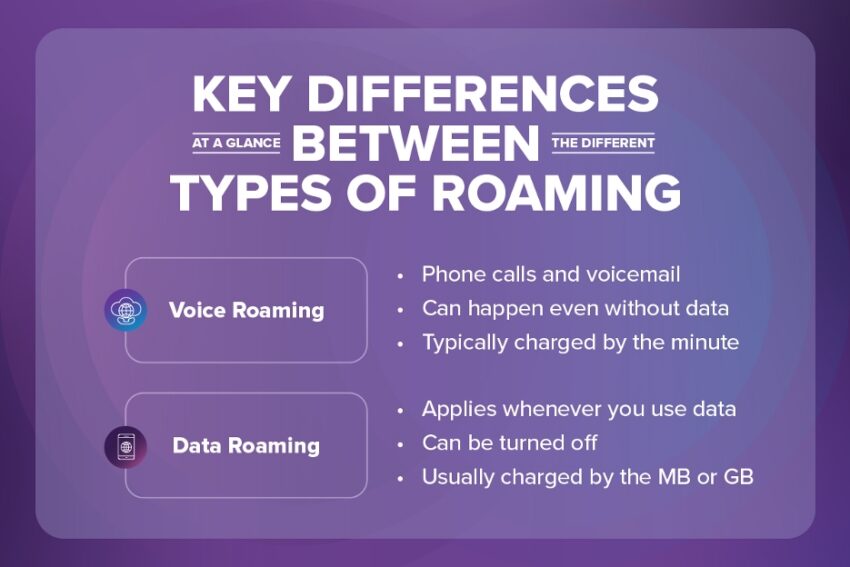
Key differences between the different types of roaming
Here’s your cheat sheet for which roaming applies in which scenario:
- Voice roaming:
- Phone calls and voicemail
- Can happen even without data
- Typically charged by the minute
- Data roaming:
- Applies whenever you use data
- Can be turned off
- Usually charged by the MB or GB
When you actually need each type of roaming
While roaming can lead to charges, sometimes it’s necessary. Here’s when you may need to use voice roaming or data roaming.
- Voice roaming: This type of roaming is mainly needed for when you need to make emergency calls or reach a local number while you’re traveling, such as a hotel or taxi service.
- Data roaming: This type of roaming is mostly necessary for things such as using navigation apps while abroad or browsing the web or emailing while you’re on the go. You may also need it to send messages.

How to avoid surprise charges when roaming
There are a few easy ways to avoid surprise charges when roaming.
- Turn off data roaming before landing
Use the instructions above to turn off data roaming so you don’t incur any surprise charges from things like apps running in your phone’s background. - Use Wi-Fi for apps and messages
Whenever possible, connect to Wi-Fi at hotels, cafes or other public places to send and receive messages or access apps. - Rely on internet calling instead of cellular calls
Similar to apps and messages, you can use Wi-Fi to make calls, too. - Know what your plan includes before you travel
Call your carrier to see what your mobile plan includes before you travel abroad.
Learn even more ways to avoid roaming fees while traveling abroad here.
Now you’re a roaming expert
As you’ve learned, roaming isn’t just one thing—it’s two. And voice and data roaming behave differently while abroad. Surprise bills can come from not knowing the difference, but a little preparation can change everything and keep travel exciting, not expensive. So, tap the button below, and figure out which Ultra Mobile plan works for you and all of your future travel plans.