What is draining my phone battery?
By Ultra Team
Published September 30, 2025
We’ve all been there. You’re out and about on a day where you’re using your phone a lot, and your battery percentage takes a steep drop from 100% to 50% in just a matter of time. Before you know it, it could be dead or so low on battery you’re afraid to use it.
A quick draining battery is one of the most frustrating things to happen to your phone. You might assume that it’s a hardware issue and think that carrying chargers with you or scrambling for chargers in public places is just how you have to live. But the good news is that in many cases there are a few fixes that can help improve your current battery life, or at the very least slow down its drainage.
In the following paragraphs, we’ll uncover many of the hidden battery drainers right in your settings (and let you know how to set up your phone battery life for success).
7 Mistakes that could be ruining your phone’s battery life
1. Excessively Bright or Static Display Settings
You may not realize it, but your screen is one of the biggest power users on your phone. Keeping your brightness at 100% all day can make it feel like your battery is shrinking by the hour. Dynamic wallpapers, live widgets, and always-on displays can also contribute to extra drain since they keep refreshing in the background.

“Tip”
To save extra battery life, switch to adaptive settings that will dim in dark settings to save battery when you don’t need it. Or consider going to the dark side…er dark mode side which is particularly good with OLED screens, where darker pixels use even less energy.
2. Unchecked Background Activity
Even when you’re not scrolling or tapping, apps can still quietly run in the background checking for updates, tracking your location, refreshing feeds, or even playing audio. When it comes to saving battery, apps using background refresh (aka running constantly in the background) are not your best friend. Try to minimize using apps in the background when you can to preserve your battery. This “hidden” activity can easily shave hours off your battery life without you even realizing it.
“Tip”
Head to your settings to disable background refresh for apps that don’t need it (like social media, shopping apps, or games). Limit your location permissions to “While using the app” instead of “Always”. This saves battery and protects your privacy.
3. Unnecessary Connectivity
Bluetooth, Wi-Fi, and GPS all constantly scan for connections when they’re left on. If you don’t actually need them, they can be big drains on your battery drain. For example, Wi-Fi will keep searching for signals during your commute, and Bluetooth will endlessly look for devices to pair with.
“Tip”
Toggle these settings off when not in use, or switch on airplane mode when you’re going to be in one area for a while, like chilling at home or at the gym. As soon as you turn it off your phone will reconnect instantly, so you’re not missing out on anything—just wasting less power.
4. Frequent Push Notifications
Every buzz, ping, or banner that lights up your screen is pulling your phone from low-power standby mode–and therefore using more battery life. Multiply that by dozens of apps sending nonessential alerts, and suddenly your “all-day battery” feels more like a “half-day battery.”
“Tip”
Go through your notifications settings for each app. Keep alerts on only for essentials like texts, calls, or apps that might need your immediate attention like meal delivery apps (you don’t want to leave your pad thai delivery driver hanging). For everything else, either mute or set to “deliver quietly.” The fewer times your screen lights up, the longer your phone lasts. It’s that simple.
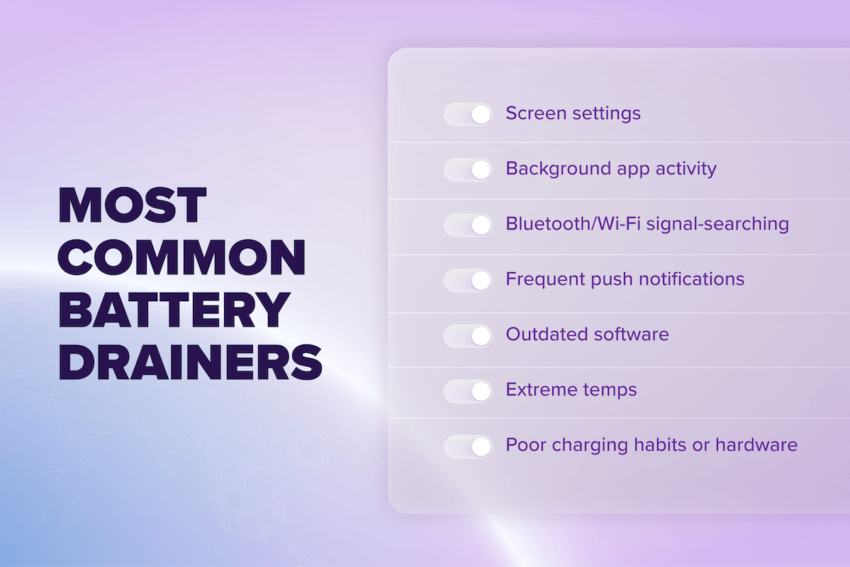
5. Outdated Software or Deprecated Battery Components
Skipping updates may feel harmless, but software updates often contain battery optimizations that help your device run more efficiently. That said, all lithium-ion batteries naturally degrade over time. If your phone is more than two years old and you notice sudden drops or random shutdowns, it may not be the software—it might just be the battery itself.
“Tip”
Keep your phone’s operating system up to date for the latest performance improvements. If your battery health has dropped below ~80% (you can check this in settings on most phones), it might be time to replace the battery instead of the whole phone.
6. Extreme Temperatures
Extreme temps are not your battery’s friend. Heat is particularly harmful, accelerating long-term wear and can even cause shutdowns. Leaving your phone in a hot car, charging it under a pillow, or using it in direct sunlight can all shorten its life.
“Tip”
Keep your device in cool, ventilated spaces and avoid charging under things that trap heat. In cold weather, keep your phone close to your body so it stays warm enough to function properly.
7. Poor Charging Habits
You might have heard the myth that you should drain your phone to zero, or maybe that you should always charge it to 100%. Neither of these are true. Lithium-ion batteries prefer shallow charge cycles. Constantly pushing to the extremes (0% to 100%) or using cheap/incompatible fast chargers that can stress your battery over time.
It’s sort of like staying hydrated. It’s easier, not to mention more refreshing, to take small sips of water over time, compared to chugging a gallon of water all at once.
“Tip”
Keep your battery between 20%–80% when possible. Use manufacturer-approved chargers and let your phone charge at its natural speed instead of forcing ultra-fast charging unless you really need it.
Is it good to let your phone die?
In short—no, not regularly.
We recommend keeping your phone battery between 20% and 80% most of the time. According to cellphone tech experts, this is the healthiest range for batteries to function. So try not to let it dip too far below (or above) that range most of the time. That said, it can actually be good to let your battery fully drain once in a while, say once every 2-3 months.This will help recalibrate the battery meter to keep your phone’s display percentages accurate. Because the last thing you need is a phone battery that says 30% when really it’s at 15%.
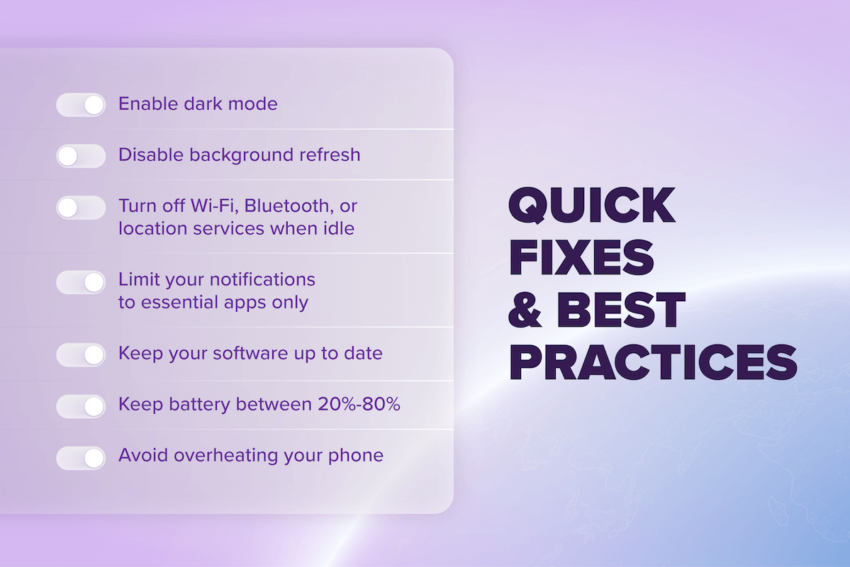
Quick Fixes & Best Practices
Small adjustments can go a long way (and make your life a lot easier). Here’s a quick checklist to maximize your daily battery life:
- Enable dark mode or adaptive brightness
- Disable background refresh for nonessential apps
- Turn off Wi-Fi, Bluetooth, or location when idle (you can just switch on Airplane mode to turn that off quickly)
- Change your notifications to essential apps only
- Keep your software up to date
- Charge your battery between 20–80% with chargers from your device’s recommended manufacturer if possible
- Avoid overheating your phone when in use or charging
Better habits, better battery life
When all is said and done, there’s actually a lot you can do (and quite easily) to help extend your phone’s battery life. Small changes add up. Even minor tweaks, like dimming your screen, trimming notifications, or charging smarter—can noticeably extend daily battery life.
Plus, there are long-term benefits to be had from making these small changes. Avoiding common mistakes don’t just give you more hours of battery life, they can also help preserve your battery’s overall health and lifespan. It’s a win-win!
In many cases, you don’t actually need a new phone to fix battery issues. The power is in your hands with these helpful tips and tricks.