¿Cuántos datos consume el punto de acceso Wi-Fi?
Por el equipo Ultra
Published marzo 23, 2026
Picture this. You find a quiet spot in your favorite cafe to get some work done. You fire up your laptop, but the barista informs you their Wi-Fi router is out.
But you’re not worried.
Because you read this Ultra Article about mobile hotspots, where you learned how much data your phone uses to connect your laptop to the internet wirelessly and how to avoid slowdowns and extra charges.
What is mobile hotspot data?
Mobile hotspot data uses the data from your phone’s cellular plan to connect your other devices to the internet. Think of it like a portable Wi-Fi router that connects laptops, tablets and even gaming consoles to the web.
But with great connectivity comes great responsibility. This data usage counts toward your monthly allowance, so don’t overdo it!
What is a personal hotspot?
A personal hotspot refers to your smartphone’s mobile hotspot functionality. Also called “tethering,” a personal hotspot is what allows your phone to act as a Wi-Fi hub for other devices.
This feature is extremely useful in situations where Wi-Fi isn’t readily available when traveling, working remotely, or during your local cafe’s rolling Wi-Fi outages.

How much data does hotspot use per hour?
Not all hotspots are created equal. Your data usage can vary greatly depending on what you’re using that hotspot for. And if you’re not careful, you can go over your plan’s allowance and risk slowdowns and extra charges.
That’s why we’ve created this handy hotspot cheatsheet, so you can make every connection count.
What affects hotspot data usage?
As you can see, the video quality makes a big impact on your data usage. Higher quality videos and enabling autoplay significantly drains mobile hotspot data. The number of devices you tether makes a big impact on your usage as well. Typically, the more devices you tether, the more mobile hotspot data you use – and the background usage from each device really adds up! Cloud syncing and software updates quietly drain your data allowance, so it’s important to be aware of how to stop apps running in the background.
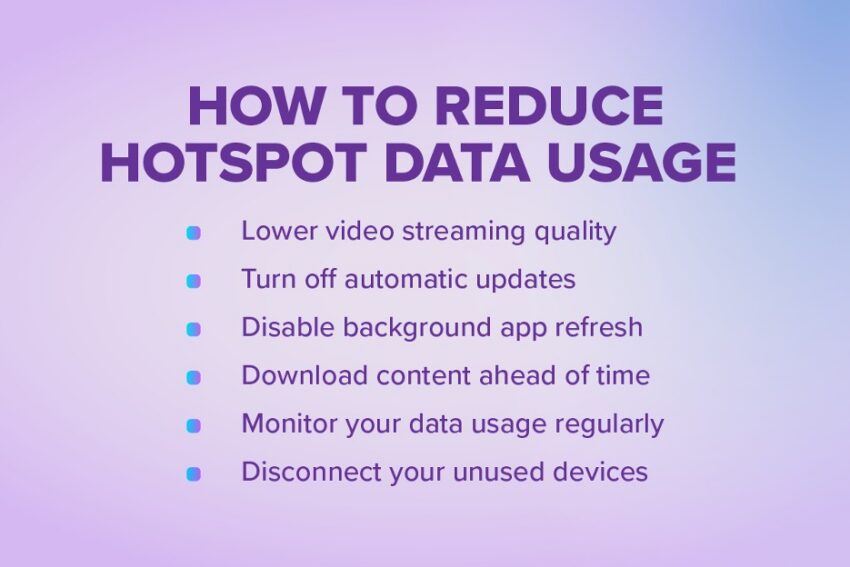
Lower video streaming quality
- Switch from High Definition to Standard Definition on Netflix, Youtube, etc.
- Always disable 4K playback when using mobile hotspot data.
Turn off automatic updates
- Pause system updates and sibling auto app updates until you’re connected to a Wi-Fi network.
- Adjust your phone’s settings to only update when connected to Wi-Fi by default.
Deshabilitar la actualización de aplicaciones en segundo plano
- Go into your phone’s settings and disable only certain apps or all apps (we recommend all apps)
- This prevents your apps from syncing in real time and draining your mobile hotspot data even when you’re not actively using them.
Download content ahead of time
- Download your shows, podcasts and music before you depart on a long commute or flight.
- Saving work files locally, that way you don’t use unnecessary mobile hotspot data.
Monitor your data usage regularly
- Check your hotspot usage in your phone’s settings.
- Some phones even allow you to set alerts – especially if you’re going to be doing data-intensive activities like streaming or gaming.
Disconnect your unused devices
- Remove any devices that you aren’t actively using to avoid slowdowns or extra charges.
How much hotspot data do you actually need?
The honest answer? It depends on how you use it.
Some people only turn on their hotspot once in a while. Others rely on it every single day. The key is understanding your habits — because one HD movie uses a lot more data than checking email at the airport.
Here’s how to think about it in real-life situations:
For the occasional traveler
If you mostly use hotspot when you’re:
- At the airport
- In a hotel with unreliable Wi-Fi
- Waiting for a flight
- On a quick weekend trip
And you’re mainly:
- Revisando el correo electrónico
- Browsing websites
- Looking at maps
- Sending messages
5–10GB per month is sufficient.
For the remote worker
If you work or study remotely and rely on hotspot for:
- Backup internet
- Daily Zoom or Teams video meeting
And you’re mainly:
- Uploading files
- Cloud syncing
- Streaming videos
- Presenting and screen sharing
15–30GB+ per month is realistic, depending on how often you’re on camera and how many meetings you attend.
For the awesome college student
If you’re a college student and rely on hotspot for:
- Online lectures
- Virtual study sessions
- Research and homework
- Entertainment and social media
And you’re mainly:
- Streaming shows and movies
- Scrolling through stories and videos on social media
- Listening to music while studying
- Attending online lectures
10–20GB+ per month is a good starting range. Heavy streaming or daily video classes may push you higher.
How do I use a mobile hotspot as emergency Wi-Fi?
For prepared folks, hotspot is a great option, not just for its convenience, but as a way to stay connected if your home Wi-Fi goes down.
In a short-term outage, you might use hotspot for:
- Email and browsing
- A few video calls
- Streaming light entertainment
- Schoolwork or remote work
If the outage only lasts a day or two, moderate usage won’t completely drain your plan. For flexibility and peace of mind, 10–20GB provides a comfortable cushion. That gives you room for a few video calls without worrying about every gigabyte.
Hotspot is a hot feature to have
As you’ve learned, hotspot data adds up quickly, especially when video is involved.
Streaming movies, attending video meetings, and connecting multiple devices all increase your usage faster than simple browsing or email.
Remote work can drain data more quickly than many people expect. And family travel can multiply usage when several devices connect at once.
The good news? Once you understand your habits, you can choose a plan that fits your needs and prevents surprises. Monitoring your usage regularly keeps you in control. And pairing smart habits, like lowering video quality and disconnecting unused devices, helps your data last longer.

Ready to stay connected wherever you go?
Explore Ultra Mobile Plans and find the one that supports your hotspot needs — whether you’re traveling, working remotely, studying, or hitting the road.